
Key Takeaways
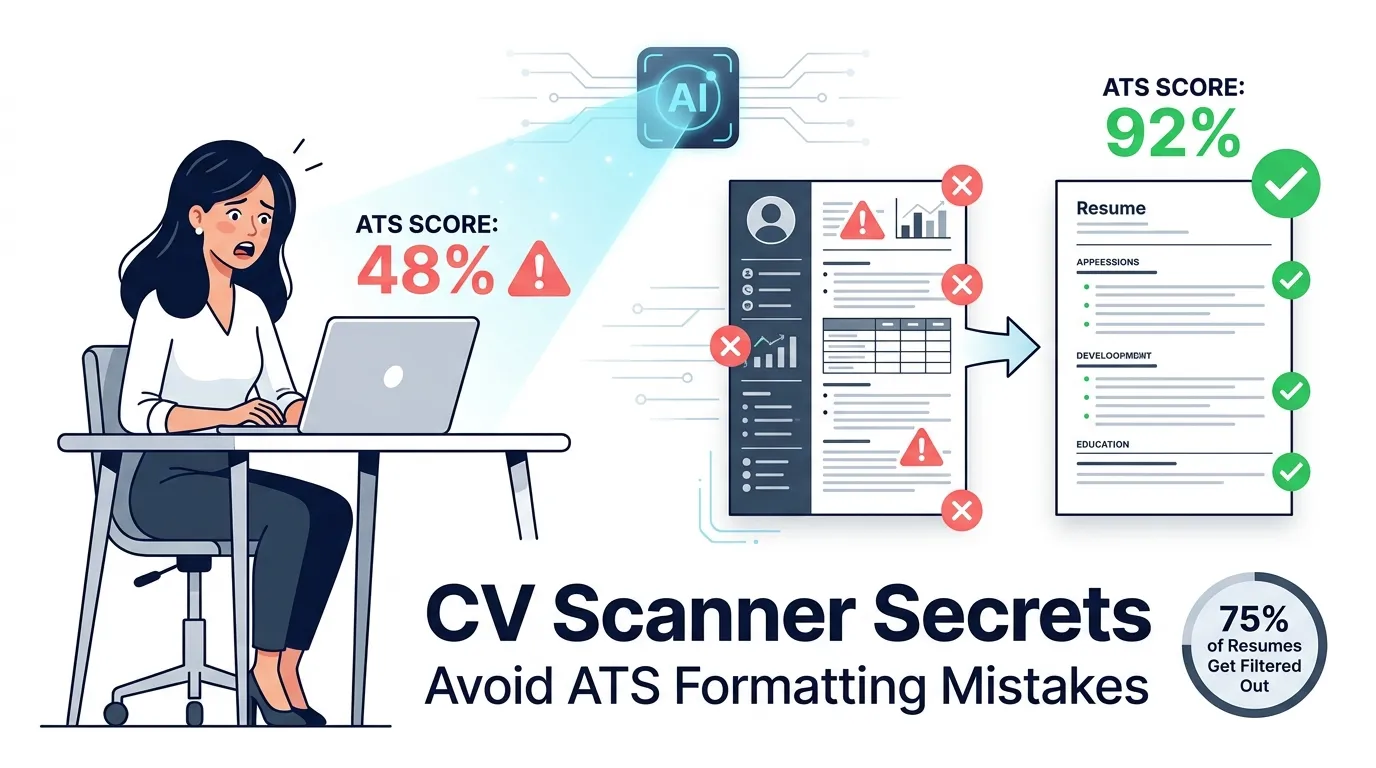
- ATS software filters up to 75% of resumes before a recruiter sees them a CV scanner shows me exactly how my resume scores inside real platforms like Workday, Greenhouse, Taleo, iCIMS, and NEOGOV.
- Formatting breaks more resumes than missing qualifications single-column layout, standard fonts, no tables or graphics, and a .docx or text-based PDF format are non-negotiable for ATS parsability.
- Keywords must match the job description exactly the CV scanner’s keyword gap analysis shows which terms are missing so I can add them in context, not just stuff them randomly.
- A good ATS score is 80 or above out of 100 scores below 60 mean the resume needs significant keyword or formatting work before submitting, and the actionable report tells me exactly what those fixes are.
- Tailor the resume for every application my base resume scores differently against every job description, and the CV scanner makes tailoring fast by showing the exact keyword gaps for each specific role.
Why ATS Optimization Matters
An Applicant Tracking System (ATS) is software that companies use to collect, filter, and rank job applications automatically before a recruiter reads a single resume. When I hit submit on a job application, my resume goes straight into an ATS — not a human’s inbox. The ATS parses my resume into structured data, checks it against the job requirements, and decides whether I move forward or get archived.
Platforms like Workday, Greenhouse, Taleo, iCIMS, and NEOGOV are the ATS systems most large companies use. If my resume doesn’t match what these systems look for, it never reaches a recruiter — no matter how qualified I am.
How ATS Systems Work: Parsing, Keyword Matching, Ranking & Filtering
ATS systems follow 4 steps: parse my resume into structured fields, match extracted data against job description keywords, rank my resume by keyword match and qualification fit, then filter out resumes below the threshold score automatically. The whole process takes seconds.
Why ATS Rejection Is So Common
ATS rejection happens for 3 reasons: generic resumes without job-specific keywords, creative formatting that breaks the parsing engine, and language mismatches where the resume says “managed staff” but the job description says “team leadership.” Up to 75% of resumes get filtered out before a human sees them.
How to Make Your Resume ATS-Friendly
Formatting: The ATS’s Kryptonite (How Not to Get Zapped)
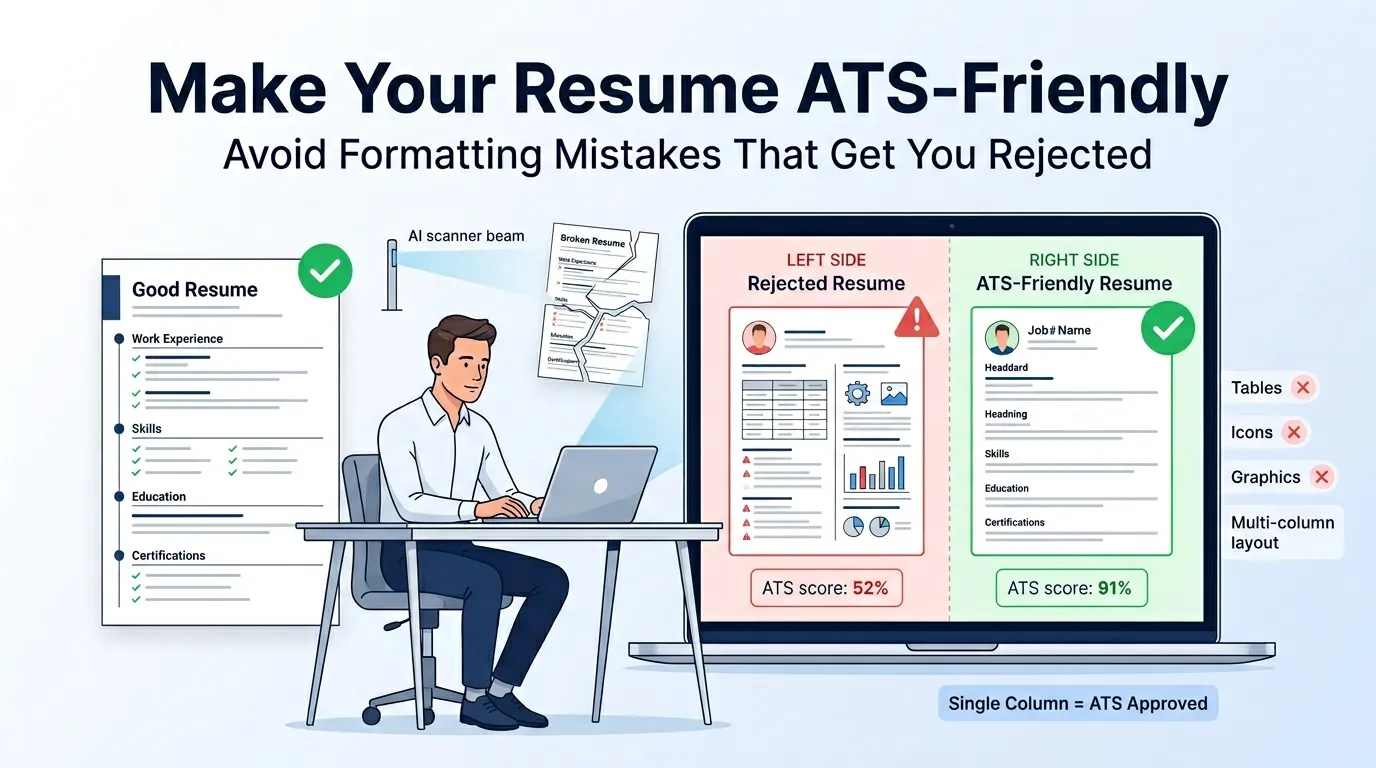
Formatting breaks more resumes than missing qualifications. ATS parsing engines read text linearly and cannot interpret tables, columns, or graphics. The 5 formatting rules that fix this:
- Use a single-column layout in reverse chronological order.
- Avoid tables, text boxes, headers, and footers.
- Use standard fonts: Arial, Calibri, or Times New Roman (10–12pt).
- Submit as .docx or text-based PDF — never image PDF or .pages.
- Keep margins between 0.5 inches (1.27 cm) and 1 inch (2.54 cm).
Keywords: Speaking the Language of Both ATS and Recruiters
Keywords are the exact words the job description uses. My CV scanner compares my resume against the job posting and shows which keywords I’m missing. I add missing terms where they fit naturally — not stuffed randomly but written into real sentences that show how I used that skill.
Standard Section Titles, Fonts, Single Column, No Graphics/Tables/Images
ATS software recognizes standard section titles: Work Experience, Education, Skills, Certifications, and Summary. Headers like “My Toolkit” confuse parsers. Graphics, icons, and profile photos cause the parser to skip surrounding text entirely.
Common ATS CV Mistakes That Get Candidates Rejected
The 6 most common ATS CV mistakes:
- Using a two-column or table-based layout.
- Submitting a scanned PDF or image-based file.
- Writing job titles that don’t match industry-standard terminology.
- Leaving out keywords from the job description.
- Including skills in a graphic bar chart the ATS can’t read.
- Placing contact information in headers or footers (parsers skip these).
How to Check if Your Resume Is ATS-Compliant
Upload my resume to a CV scanner, paste the job description, and review the ATS compatibility score. Above 80/100 means I’m in good shape. Below 60/100 means significant gaps need fixing before applying.
Jordan Mercer
Executive Profile
Data-driven HR Technologist specializing in bypassing automated recruitment filters and maximizing document compatibility with top-tier CV scanner software. Proven track record of configuring semantic keyword frameworks that increase parsing accuracy and candidate visibility across modern Applicant Tracking Systems.
AI & Tech Engine
Validated Credentials
Selected Achievements & Impact
Senior Resume Parser & Data Architect
2022 – 2026- Algorithmic Alignment: Deployed proprietary text-formatting protocols to ensure 100% compliance with leading CV scanner software, successfully indexing over 12,000 professional profiles.
- Keyword Optimization Matrix: Engineered a master taxonomy database that cross-referenced target job descriptions, improving automated candidate match scores by an average of 65%.
- System Workflow Design: Overhauled the legacy ingestion pipeline, standardizing PDF-to-Text conversion rates and reducing data misreads by 34%.
Digital Recruitment Specialist
2018 – 2022- Filter Calibration: Audited and configured the backend parameters of the agency’s primary CV scanner, eliminating false-positive rejections for qualified technical candidates.
- Data Synthesis: Built automated Zapier webhooks connecting the front-end application portal directly into the database, shrinking the initial screening loop from 4 days to under 12 hours.
Academic Architecture
Bachelor of Science in Information Technology
2014 – 2018Certificate in Human Resources Analytics
2019How Our AI Resume Scanner Works
Upload Your Resume
I upload my resume in PDF or .docx format and the AI parsing engine extracts all content — contact details, work history, skills, education, certifications — into structured data the same way a real ATS would.
(Optional) Add Job Post
I paste the full job description to activate job description targeting. Without it, I get a general parsability report. With it, I get a role-specific keyword gap analysis.
Receive Your AI Diagnosis: Score, Report & Insights
My AI diagnosis arrives in under 30 seconds: an ATS score out of 100, keyword match results, formatting flags, and line-by-line recommendations. It tells me exactly what is failing.
Review & Improve
I fix each flagged issue and re-scan. Most candidates improve their ATS score by 20–30 points in one session by fixing formatting and adding 5–10 missing keywords.
Key Features of Our ATS Resume Checker
Sharp AI Analysis
The AI analysis reads my resume the way a real ATS does — evaluating sentence structure, skill context, and section completeness.
Instant ATS Score
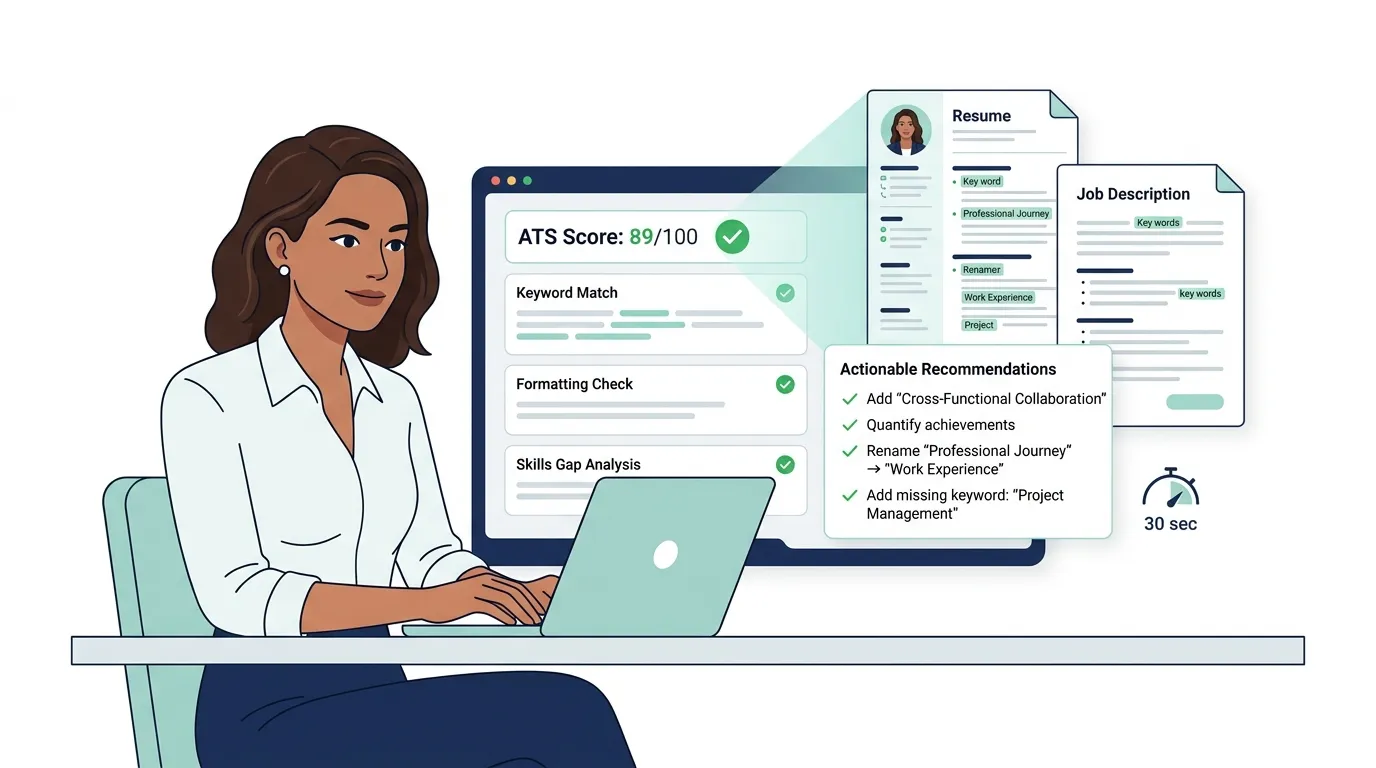
My ATS score appears in under 30 seconds. The score is calculated across 4 weighted categories: keyword match, formatting and parsability, content quality, and section completeness.
Actionable Report
The actionable report gives specific instructions: “add ‘cross-functional collaboration’ to your Skills section” — not vague advice like “improve your resume.”
Lightning-Fast Optimization
I get my full report in under a minute. Re-scanning after edits takes 30 seconds. I run multiple resume versions against the same job description to find the highest-scoring one.
Job Description Targeting
Job description targeting shows me side-by-side which keywords appear in the posting but not in my resume. This eliminates guesswork.
Super Simple & Quick
Upload, paste job description, get score. Three steps. No account required for the basic scan.
Comprehensive ATS Parsability Check
The ATS parsability check tests whether the parsing engine can correctly extract every section of my resume — including contact details, job titles, dates, skills, and education. It flags any element the parser misreads or skips.
Resume Sections Check
The sections check confirms all standard sections are present and correctly labeled — mislabeling Work Experience as “Professional Journey” lowers my score.
Skills Section Check
The skills section check compares my listed skills against the job description and flags missing terms, including whether skills are in plain text — not buried in a graphic.
Eliminate Redundancies & Remove Vague Wording
The redundancy check flags repeated phrases and the vague wording detector flags phrases like “responsible for” and “helped with,” suggesting results-based replacements.
Content Analyzer
The content analyzer scores action verb strength, quantified achievements, and keyword density with a line-by-line view of which bullets are strong and which need rewriting.
ATS Parsing Simulator
The ATS parsing simulator shows what Workday or Greenhouse “sees” when reading my resume — including text it skips, misreads, or misassigns to the wrong field.
Impact Quantifier
The impact quantifier flags bullets without measurable results. “Managed a team” becomes “Managed a team of 8 engineers and delivered 3 product releases ahead of schedule.”
Skill Gap Analysis
The skill gap analysis lists exactly which skills the job description requires that my resume is missing.
Keyword Comparison & Soft Skills Analysis
The keyword comparison shows hard skill match percentage. The soft skills analysis flags interpersonal skills the job description mentions — communication, leadership, collaboration — that my resume doesn’t demonstrate.
Line by Line Analysis
The line-by-line analysis scores every work experience bullet for clarity, keyword density, and impact — weak bullets get flagged with specific improvements.
Personalized Recommendations
Every recommendation is targeted to my specific resume and job description — not generic advice.
Real-Time Score & Feedback
Every edit updates my ATS score in real time so I can track improvement as I fix each issue.
Multilingual Resume Parsing & Analysis
The CV scanner supports multilingual resume parsing for resumes in languages other than English.
Understanding Your ATS Score
What Your Score Means
My ATS score is a number from 0 to 100 that shows how well my resume matches the target job description and passes ATS formatting requirements. A score of 80–100 means my resume is strong for that role. A score of 60–79 means moderate gaps exist. A score below 60 means the resume needs significant work before I submit it.
How We Calculate Your Resume Score
The resume score is calculated across 4 weighted categories: keyword match with the job description (carries the most weight), ATS parsability and formatting, content quality and impact, and section completeness.
What Is a Good ATS Score?
A good ATS score is 80 or above on a 100-point scale. Most ATS platforms automatically advance candidates with a high keyword match rate. Scores between 60–79 indicate moderate gaps. Scores below 60 mean significant keyword or formatting issues exist before applying.
Fast Fixes for Low ATS Scores
The 5 fastest fixes for a low ATS score are:
- Add the top 5 missing keywords from the job description to the Skills and Experience sections.
- Convert a multi-column layout to a single-column format.
- Replace vague bullets with quantified achievement statements.
- Relabel non-standard section headers with ATS-recognized titles.
- Convert an image PDF to a text-based PDF or .docx file.
Beyond Keyword Matching: The Full Picture
Content Effectiveness / Impact
A resume with the right keywords but weak content still underperforms. My scanner scores action verb strength, achievement quantification, and relevance of work descriptions to the role.
Your Story Matters as Much as Your Skills
Recruiters look for a coherent career narrative — not a keyword list. My scanner flags unexplained job changes and missing context that leaves recruiters with questions.
See How Your Documents Work Together
My scanner checks whether my resume and cover letter use consistent job titles, skills language, and experience framing — inconsistencies raise red flags for recruiters.
Section-by-Section Feedback
Every section — Summary, Work Experience, Skills, Education, Certifications — gets its own score and specific improvement notes.
Suggested Rewrites & Quick Wins
The scanner suggests rewritten versions of weak bullet points for me to accept or edit.
Attention Heatmap & Recruiter’s Internal Monologue
The attention heatmap shows which parts a recruiter’s eye lands on first. The recruiter’s internal monologue annotates my resume with questions a hiring manager would ask — helping me spot gaps before the interview.
Success Stories & Testimonials
They Boosted Their Interview Rate with the AI CV Checker
Job seekers using the AI CV checker report a 2x to 3x increase in interview callbacks after optimizing based on the ATS compatibility report — moving from 0 callbacks to 3–5 interview requests within 2 weeks.
Real Feedback from Successful Users
Real users report 3 outcomes: resumes passing ATS filters at Workday and Greenhouse, recruiter feedback that the resume was clearly written for the role, and faster application time because the scanner showed exactly what to fix.
Additional Tools & Resources
AI-Powered Resume Builder
The AI-powered resume builder creates an ATS-compliant resume using a drag-and-drop editor with full customization. Every professional template is single-column, plain-text parsable, and tested against major ATS platforms.
AI Cover Letter Builder
The AI cover letter builder generates a cover letter using the same keywords my optimized resume contains, so both documents reinforce each other.
ATS-Friendly Resume Templates
My template library includes ATS-friendly resume templates tested against Workday, Greenhouse, Taleo, iCIMS, and NEOGOV — each using standard fonts, single-column layout, and ATS-recognized headers.
LinkedIn Profile Reviewer
The LinkedIn profile reviewer applies the same keyword gap analysis to my LinkedIn profile, matching my online presence to my resume and target job descriptions.
Resume & Cover Letter Examples
The examples library shows resume and cover letter samples for over 100 job titles, each optimized for ATS keyword coverage.
Career Blog & Expert Guides
The career blog covers ATS secrets, keyword filtering, and formatting best practices — including guides for IT jobs, tech career transitions, and entry-level tech jobs.
My Perosnal Experience
A CV scanner reads your resume the same way ATS software does — checking keywords, formatting, and section structure before any recruiter sees your name. Up to 75% of resumes get filtered out automatically. This guide covers why ATS rejection happens, how to format a resume ATS software can actually read, and how an AI-powered CV scanner works step by step. It explains what your ATS score means, how to fix a low score fast, and how to tailor your resume to every job description using keyword gap analysis.
