

What You Need to Know Right Now
Before getting into the details, here’s the short version. Your resume needs to do three things, and only three things, to work in 2026.
First, it must match the exact job posting you’re applying to, not a generic resume template used for every role. Second, it must show results with real numbers such as retention rates, renewal percentages, portfolio size, or revenue growth. Third, it must use a clean, simple format that both recruiters and Applicant Tracking Systems (ATS) can read without issues.
If your resume does these three things, it has a real chance to get interviews. Everything else only exists to support them.
Understanding What You’re Actually Applying For
Here’s where people mess up right out of the gate. They see “Account Manager” in a job title and assume they know what the role is. But Account Manager at a SaaS startup looks completely different from Account Manager at an insurance company or a marketing agency.
The Hunter vs. Farmer Thing Everyone Talks About
You’ve probably heard this before, but it matters. Some Account Manager roles are really Account Executive jobs in disguise – they want you hunting for new business, building pipeline, closing deals. Other times, they genuinely want someone who’s going to farm existing accounts, keep customers happy, and grow revenue from people who are already paying.
The way you figure out which one you’re dealing with? Read the job description carefully. Like, really carefully. If they’re throwing around words like “prospecting,” “pipeline creation,” “quota attainment,” and “closing” – that’s hunter territory. You need to position yourself more like a sales person.
But if you’re seeing “renewals,” “retention,” “QBRs” (Quarterly Business Reviews), “adoption,” “churn reduction” – they want a farmer. Someone who’s going to nurture relationships and make sure customers stick around.
Most Account Manager roles I see these days lean toward the farmer side, but there’s plenty of overlap. The key is matching your resume to what they’re actually asking for.
Setting Up Your Resume the Right Way
Okay, format time. I know this seems boring, but trust me – if you get this wrong, nothing else matters. The ATS won’t be able to read your resume properly, and it’ll get filtered out before a human ever sees it.
The Structure That Actually Works
Keep it traditional. I’ve seen people try to get creative with their resume layouts, and honestly? It almost never helps. Here’s the order that works:
- Your name and contact info at the top
- A headline that says what you do (“Account Manager | SaaS Renewals & Expansion” – something like that)
- A quick summary – 3 or 4 lines max
- Skills section
- Work experience (this is the meat of it)
- Education
- Certifications if you’ve got them
That’s it. Don’t overthink it.
Writing a Summary That Doesn’t Stuck
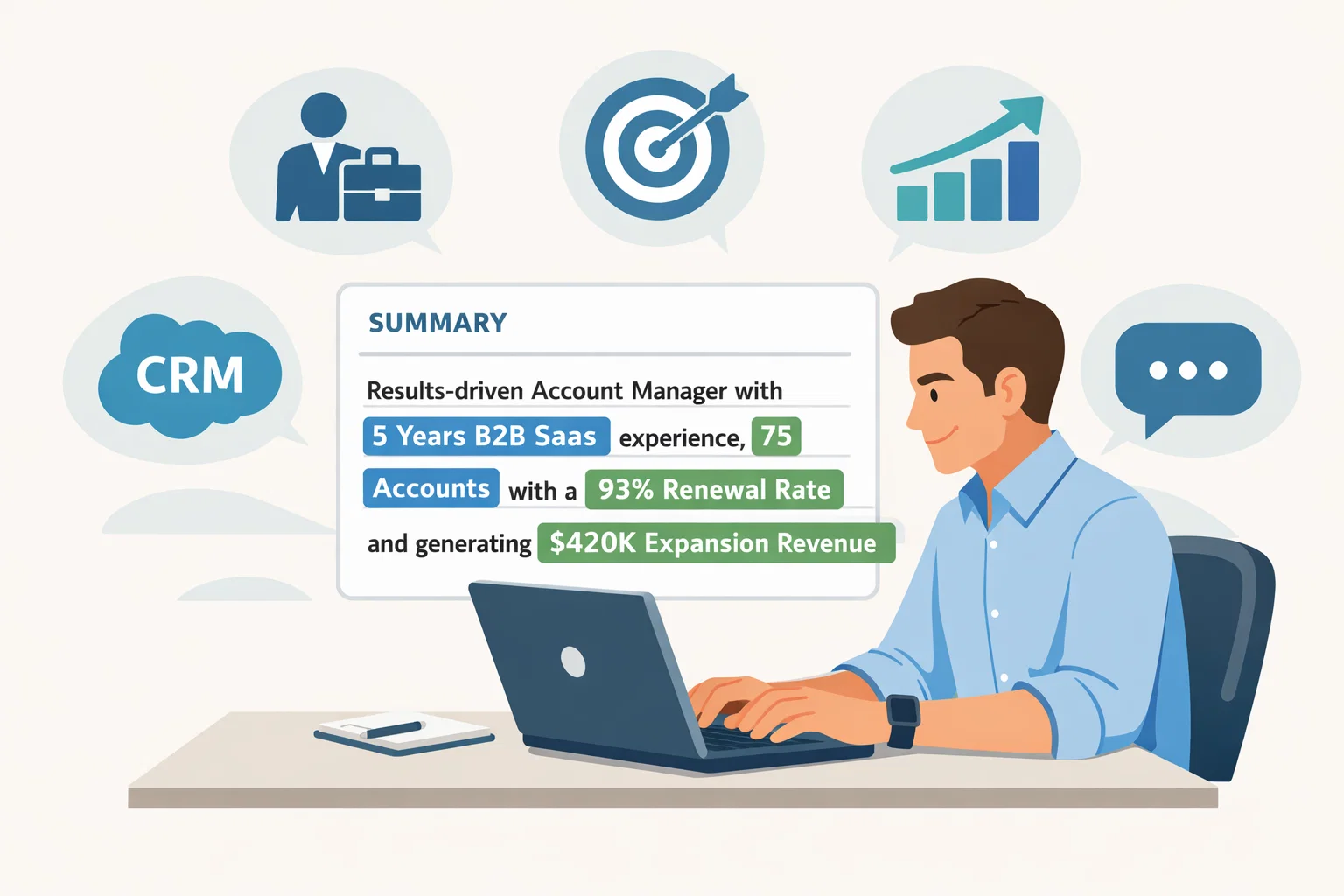
Your summary is prime real estate. You’ve got maybe three sentences to tell someone who you are and why they should keep reading.
Here’s the formula I tell people: Say what you do, who you do it for, and what kind of results you get. That’s it.
Let me show you what I mean. Instead of something vague like “Experienced Account Manager with strong communication skills,” try something with actual substance:
“Account Manager with 5 years managing B2B SaaS accounts. Currently handle a portfolio of 75 mid-market customers, improved our renewal rate from 86% to 93% over 18 months, and brought in $420K in expansion revenue last year. Work primarily in Salesforce and run quarterly business reviews with C-level stakeholders.”
See the difference? The second one tells me exactly what you’ve done and gives me numbers I can verify. That’s what gets attention.
Now, if you’re switching from customer service into account management, you can still write a strong summary. Just focus on the transferable stuff – relationship building, problem solving, communication with stakeholders. Something like:
“Customer-focused professional transitioning from customer service to account management. Three years of experience managing escalations, supporting renewal processes, and maintaining relationships with enterprise clients. Known for turning frustrated customers into loyal advocates through proactive communication and creative problem-solving.”
The Experience Section – Where You Prove Everything
This is where most resumes either win or lose. Your experience section needs to do more than list what you were responsible for – it needs to show what you actually accomplished.
How to Write Bullets That Get Results
I use a simple framework for every bullet point: action verb + what you did + the result + proof (usually a number).
Let me give you some examples that work:
- Managed renewal process for 60-account portfolio, reduced churn from 18% to 11% through early risk identification and structured QBR program
- Identified and closed $280K in upsell opportunities by mapping stakeholder needs and coordinating with Sales and Product teams
- Led customer onboarding process, reduced average time-to-value from 45 days to 28 days by building standardized implementation playbook
- Resolved high-severity escalations within 24 hours average, maintained 94% customer satisfaction score across enterprise accounts
Notice how each one tells you exactly what happened and backs it up with numbers? That’s the pattern you want.
The Numbers That Actually Matter
When you’re in account management, there are certain metrics people expect to see. If you have these numbers, definitely include them:
- Renewal rate (as a percentage)
- Churn rate (how many customers you lost)
- Expansion revenue or upsell dollars
- Net Revenue Retention (NRR) if your company tracks it
- Customer satisfaction scores (CSAT)
- Portfolio size (number of accounts or total ARR you managed)
If you don’t have revenue metrics (maybe you worked at a smaller company that didn’t track everything), use operational numbers instead:
- How fast you responded to issues
- How many escalations you resolved
- Onboarding timelines
- Product adoption percentages
Skills Section – Making It Count
Your skills section needs to hit two notes: the technical stuff you can do (tools and processes) and the people stuff that makes you good at relationships.
The Hard Skills Everyone Expects
These are the tools and systems you should list if you actually know them:
- CRM platforms – Salesforce is the big one, but HubSpot is common too
- Account planning and territory management
- Renewals and contract management
- Running QBRs and executive reporting
- Basic forecasting and data analysis
- Escalation management
- Excel or Google Sheets for reporting
Only list stuff you can actually talk about in an interview. Don’t pad this section with tools you used once or barely remember.
The Soft Skills That Separate Good From Great
Here’s the thing about account management – you’re basically in sales, but you’re selling to people who already bought from you. That takes a different skill set. You need emotional intelligence, patience, and the ability to build trust over time.
The soft skills that actually matter:
- Executive communication – talking to C-level folks without getting nervous
- Active listening – actually hearing what customers are saying, not just waiting to talk
- Stakeholder management – keeping multiple people happy at once
- Negotiation – finding solutions that work for everyone
- Conflict resolution – fixing problems before they blow up
- Working across teams – Sales, Support, Product, Finance, whoever needs to be involved
The Keywords That Get You Past the Robots
Alright, let’s talk about ATS systems and keywords. These applicant tracking systems are basically looking for specific words and phrases that match the job posting. If you don’t have them, your resume might never reach a human.
The trick isn’t to stuff your resume with random keywords. The trick is to use the actual language from the job posting when you’re describing real things you’ve done.
For Classic Account Manager Roles (The Farmer)
If the job is focused on keeping existing customers happy and growing accounts, these are your keywords:
- Renewals, retention, churn reduction
- Customer health, adoption, satisfaction (CSAT)
- Upsell, cross-sell, expansion revenue
- QBRs (Quarterly Business Reviews), executive business reviews
- Stakeholder management, relationship management
- Account planning, strategic account planning
- Escalation management, risk mitigation
- Customer success, client success, customer advocacy
For Sales-Heavy Roles (The Hunter)
Some Account Manager jobs are really more like Account Executive roles. If the posting talks a lot about pipeline and closing deals, use these:
- Prospecting, outbound, lead generation
- Pipeline creation, pipeline management
- Closing, negotiation, deal execution
- Quota attainment, revenue targets
- Sales methodologies (MEDDIC, SPIN, Challenger – only if you actually know them)
- Territory planning, account mapping
For Enterprise or Strategic Accounts
If you’re going after a Key Account Manager or Strategic Account Manager role, you need to show you can handle complexity:
- Enterprise accounts, strategic partnerships
- Executive stakeholders, C-level relationships
- Long sales cycles, complex negotiations
- Account strategy, account governance
- Multi-threading, stakeholder alignment
How to Actually Use These Keywords
Here’s my method, and it works pretty consistently:
First, copy the job description into a document. Go through it and highlight every phrase that repeats or seems important. Those repeated phrases? Those are your target keywords.
Then, look at your resume bullets. For each responsibility they mention, you should have a bullet that uses the same language (when it’s true). If they say “managed renewals,” your bullet should say “managed renewals.” If they say “reduced churn,” use “reduced churn.”
Don’t try to be creative with synonyms. The ATS is looking for exact matches.
Real Examples That Work
Let me show you how to weave keywords into bullets naturally:
Bad version (no keywords, no proof):
“Worked with clients to solve their problems and keep them happy.”
Good version (keywords + metrics):
“Managed renewals for 60-client portfolio, handled escalations with an average resolution time of 18 hours, improved renewal rate by 7% through proactive QBRs and adoption planning.”
See how the good version uses actual keywords from job postings (renewals, portfolio, escalations, QBRs, adoption planning) and backs them up with numbers?
Here’s another example:
“Identified upsell opportunities across enterprise accounts, coordinated with Sales team on expansion deals, closed $340K in cross-sell revenue while maintaining 96% customer satisfaction.”
Keywords: upsell, enterprise accounts, expansion, cross-sell, customer satisfaction. Plus specific dollar amounts that prove the claim.
Making Your Resume Work for Different Experience Levels
The approach changes a bit depending on where you are in your career.
If You’re Just Starting Out
When you’re entry-level or transitioning from another role (like customer service), you might not have the traditional metrics. That’s okay. Focus on:
- Transferable skills – communication, problem-solving, relationship building
- Any exposure to account management tasks – even if it was part of another role
- Tools you’ve used – CRMs, spreadsheets, project management software
- Customer service metrics if you have them – response times, satisfaction scores, issue resolution
Your summary might look something like:
“Customer service professional with two years of experience managing client relationships and resolving complex issues. Supported renewal coordination for enterprise accounts, maintained detailed documentation in Salesforce, and consistently achieved 95%+ satisfaction ratings. Looking to transition into a dedicated account management role.”
If You’re Mid-Level
This is where you should have solid metrics and proven results. Your resume should clearly show:
- Portfolio size and composition
- Retention and renewal numbers
- Expansion revenue you’ve generated
- Process improvements you’ve made
- Cross-functional work you’ve led
If You’re Senior-Level
At the senior level, they’re looking for strategic thinking and leadership. Your resume needs to show:
- Complex account management – enterprise, strategic partnerships
- Executive relationship management
- Mentoring or team leadership
- Process development and strategy
- Impact on overall business metrics (NRR, company-wide retention)
Tools and Technologies Worth Mentioning
In 2026, there are a few tool categories that show up in almost every Account Manager job posting:
CRM Platforms
Salesforce is still the big one. If you know it, make that clear. HubSpot is also common, especially at smaller companies. Don’t say you know a CRM if you don’t – they’ll figure it out fast in an interview.
Communication and Project Management
Basic stuff like Slack, Microsoft Teams, Zoom – everyone uses these. For project management, Asana and Trello come up a lot. If you’ve used them to coordinate onboarding or manage account tasks, mention it.
Contract and Document Management
DocuSign for getting contracts signed. Maybe ContractWorks or similar tools for tracking renewals. These show you understand the administrative side of account management.
Reporting and Analytics
Excel and Google Sheets are table stakes. If you’ve used Tableau or Power BI for dashboards or reporting, that’s a plus. Same with tools like Clari for forecasting.
Here’s the key thing: only list tools you’ve actually used in a real work context. Being vaguely familiar with something doesn’t count.
Common Mistakes That Kill Otherwise Good Resumes
Let me save you some time by pointing out the mistakes I see over and over:
Generic Responsibilities Without Results
Writing “Responsible for managing customer accounts” tells me nothing. What accounts? How many? What happened because you managed them? Give me the outcome.
Keyword Stuffing
Some people think they should cram every possible keyword into their resume. Don’t do that. It makes it unreadable and actually hurts your chances because it looks artificial. Use keywords naturally where they fit.
Lying About Experience or Skills
This should be obvious, but I see it happen. Don’t claim you know Salesforce if you’ve only seen a demo. Don’t say you managed $2M in ARR if you really managed three small accounts. Hiring managers will figure it out, and then you’ve wasted everyone’s time.
Using the Same Resume for Every Application
I get it – customizing your resume for every job is tedious. But you don’t need to rewrite the whole thing. Just adjust your headline, tweak your summary, and update 3-5 bullets to match the keywords in the specific posting. That’s usually enough.
Fancy Formatting That Breaks ATS
Tables, text boxes, columns, headers, footers – these all confuse ATS systems. Keep your format simple. Use standard section headers (Summary, Skills, Experience, Education). That’s it.
Certifications and Education
For Account Manager roles, your degree matters less than your track record. Most companies just want to see that you finished college. If you have a degree, list it. If you don’t, focus on your experience and results.
Certifications can help, especially if they’re relevant:
- Salesforce Administrator – if you use Salesforce heavily
- HubSpot certifications – for companies using HubSpot
- Customer Success training programs – shows you’re serious about the field
- Industry-specific certifications – depends on the sector
Don’t go overboard collecting certifications though. One or two relevant ones are fine. More than that and it starts to look like you’re trying to compensate for lack of experience.
Tailoring Your Resume for Each Application
Here’s the process I recommend:
Step 1: Read the job posting carefully. I mean really read it. What are they asking for in the first paragraph? What about in the requirements section? Those are usually the most important things.
Step 2: Highlight the keywords and phrases that show up multiple times. If they mention “renewals” three times, that’s a priority. If they talk about “executive relationships,” make note of it.
Step 3: Update your headline to match the job title or closely related title. Instead of “Customer Success Manager,” change it to “Account Manager” if that’s what they’re hiring.
Step 4: Adjust your summary to emphasize the skills and experience they care most about. You don’t need to rewrite it completely – just shift the focus.
Step 5: Update your skills section to include their specific keywords. If they want “account planning,” make sure that phrase is in your skills list.
Step 6: Revise 3-5 bullets in your experience section to use their language and emphasize relevant achievements. You’re not lying – you’re just choosing which parts of your experience to highlight.
This whole process should take maybe 15-20 minutes per application once you get the hang of it.
The Technical Stuff: Beating the ATS
ATS systems are looking for a few specific things. Here’s how to make sure your resume gets through:
Use Standard Section Headers
Don’t get creative here. Use: Summary, Skills, Experience, Education, Certifications. The ATS knows how to read these. It doesn’t know what to do with “My Journey” or “What I Bring to the Table.”
Save as a Simple Format
DOCX or PDF usually work fine. Some older systems prefer DOCX. If you’re not sure, go with DOCX.
Use Simple Bullet Points
Standard bullets (•) or simple dashes (-) work best. Don’t use special characters or custom symbols.
Include Both Acronyms and Full Terms
The first time you mention something, spell it out: “Customer Relationship Management (CRM).” After that, you can just use CRM. This helps the ATS catch both versions.
What About Cover Letters?
Honestly? Most recruiters don’t read them. But some do, especially for more senior roles or at smaller companies.
If you’re going to write a cover letter, keep it short – three paragraphs max. Say why you’re interested in this specific role at this specific company, highlight 2-3 relevant achievements, and close with enthusiasm. That’s it.
Don’t just restate your resume. Use the cover letter to add context or explain something that might look odd (like a career gap or an industry switch).
Final Checklist Before You Hit Submit
Before you send that resume, run through this quick check:
- Does your headline match the job title (or something very close)?
- Does your summary mention the top 2-3 things they’re looking for?
- Are you using their exact keywords in your skills section and experience bullets?
- Does every bullet in your experience section include either a number or a concrete outcome?
- Is your formatting simple and clean (no tables, columns, or fancy graphics)?
- Did you proofread for typos and grammar issues?
- Are all your dates and job titles accurate?
If you can check yes to all of those, you’re in good shape.
Wrapping This Up
Look, I know this is a lot of information. But here’s the core message: your resume needs to speak the same language as the job posting, prove your claims with numbers, and be readable by both robots and humans.
The Account Manager roles out there in 2026 vary a ton – some are basically sales jobs, others are pure relationship management, and many are somewhere in between. Your job is to figure out which type each posting is asking for, then position yourself accordingly.
Don’t try to be everything to everyone. Pick the roles that genuinely fit your experience and interests, then customize your resume to show why you’re the right person for that specific job.
And remember: the resume gets you the interview, but the interview gets you the job. Once you land that meeting, it’s all about showing them who you really are and how you’d add value to their team. But first, you’ve got to get past the ATS and catch the recruiter’s attention.
Good luck out there. You’ve got this.